Book a Call
Expertise / Software development

Software that fits
the way you work.

Build a new application. Connect what already works. Move an existing system forward.

We bring product thinking, design and engineering to web and mobile applications, customer portals and the systems your business runs on.

Pengembangan software untuk kebutuhan bisnis di Indonesia—dari aplikasi baru hingga integrasi dan modernisasi sistem.

Inside a software decision
Explore a condition
The condition

Requests above Rp10m need an approver.

Purchase request PR / 024
Field equipment Requester
Request value Rp12,500,000 Above the approval threshold
Approval service
Approval required Route to the assigned approver

A business rule changes the next action in the application.

Design question Who should approve this request?

The condition

A viewer can read a request, but cannot approve it.

Purchase request PR / 024
Field equipment Viewer
Current role Viewer Read access to this request
Identity service
View only Approval action unavailable

The same record presents different actions for different roles.

Design question Which actions should each role have?

The condition

The receiving system has not confirmed the request.

Purchase request PR / 024
Field equipment Requester
Connection state Unavailable No confirmation received
Connected system
Pending confirmation Keep the unresolved state visible

An interrupted integration needs an explicit state and a recovery decision.

Design question What should happen when a connection fails?

Interactive illustration · sample rules and data

01 / Your starting point

Not every project
starts from zero.

Your existing software, people and constraints shape the right approach. We work through what to build, what to connect and what can stay.

Build something new

A workflow needs its own software.

Turn a business need into a web or mobile application, a customer portal, or an internal platform. Start with the people using it and the smallest useful release.

Questions to work through
  • Which workflow matters first?
  • What can existing products already cover?
  • Which systems will the application depend on?

Initial direction An initial scope, key user journeys and the assumptions to validate.

Extend & connect

Keep what works. Close the gaps.

Adapt an available platform or connect applications your team already uses. Bring missing steps, data and permissions into a more coherent working process.

Questions to work through
  • Where does work leave the current system?
  • What APIs and extension points are available?
  • Who owns the data and each integration?

Initial direction An integration boundary, dependency list and a proposed extension scope.

Modernize an application

Move forward from the system you have.

Assess an existing application before deciding what to retain, improve or replace. Plan changes around the business rules, data and operations that still matter.

Questions to work through
  • What is difficult to change or operate today?
  • Which behaviour and data must be preserved?
  • How can the change be introduced and verified?

Initial direction A current-system assessment and priorities for an agreed modernization scope.

02 / What we build

Around the work
that needs to happen.

One application or a connected set of systems. The scope follows your users, their workflows and the information they need.

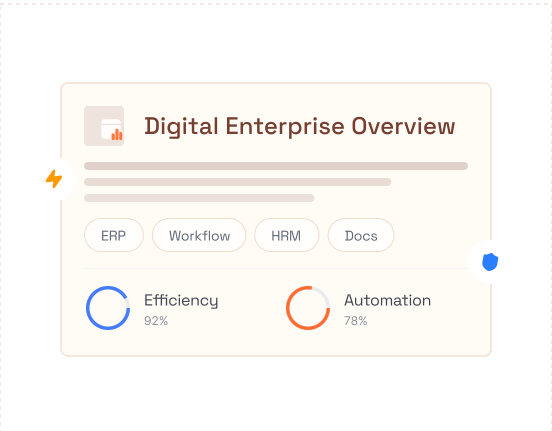
Illustrative enterprise application interface
Illustrative interface

Operational software

Give teams a shared place to carry out work, apply business rules and follow its status.

  • ERP, CRM & internal applications
  • Approvals, documents & knowledge
  • HR, finance & operational workflows
Illustrative customer application interface
Illustrative interface

Customer & partner applications

Make it easier for people outside your organization to access information, request a service and stay connected.

  • Customer & partner portals
  • Web and mobile experiences
  • Service requests & support workflows
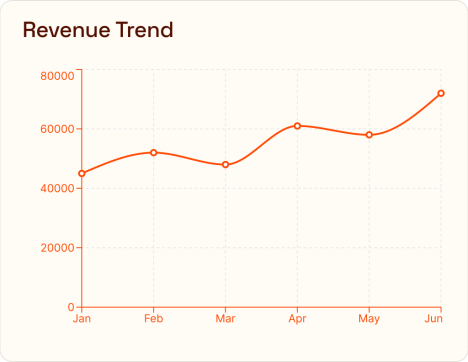
Illustrative inventory table with sample products and stock states
Illustrative interface

Commerce & order flow

Connect the steps between a request, an order and fulfilment across the systems involved.

  • Orders, stock & inventory
  • Marketplace & payment integrations
  • Invoicing, POS & transaction workflows

03 / Products to explore

See software
in context.

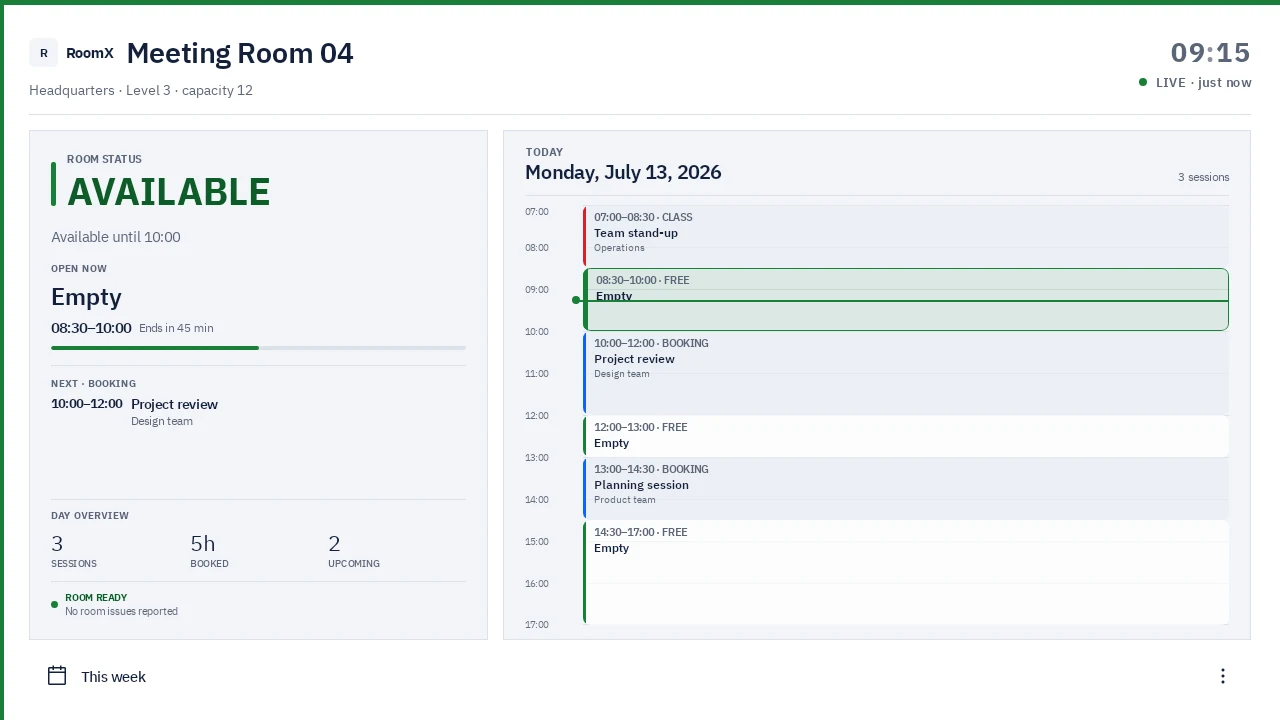
Explore the products featured by VALID. Each addresses a different kind of work—from room coordination to document control and customer conversations.

RoomX door panel showing room availability and a daily schedule
Product interface · sample data

Workplace software

RoomX

Connect room-status panels, web booking and centralized room management.

Explore RoomX
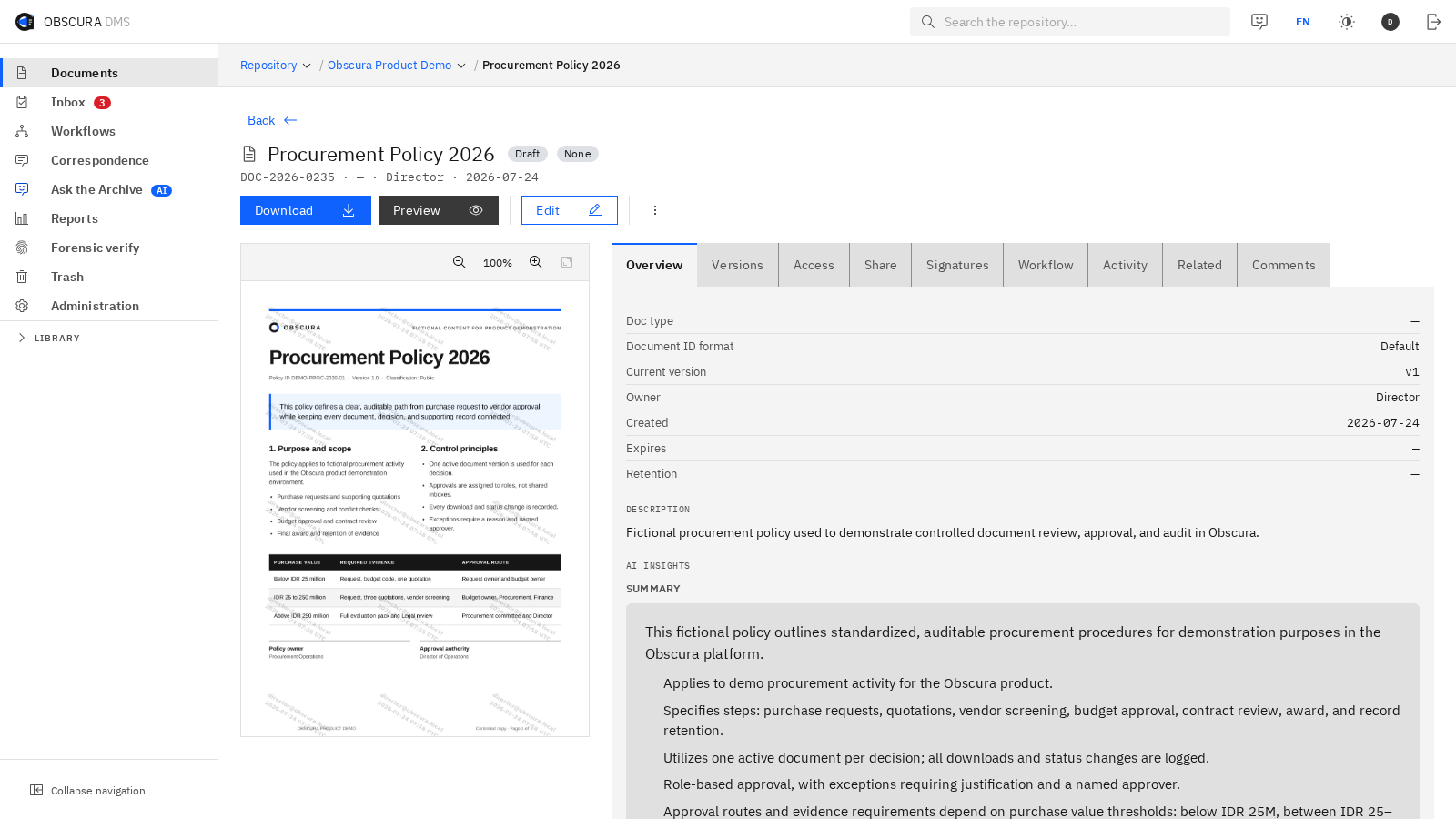
Obscura workspace with a sample document, version history and access controls
Product interface · sample document and data

Document workflows

Obscura

Bring documents, versions, permissions and approval workflows into one workspace.

Explore Obscura
Conversation → next action

Bisa bicara dengan tim?

Tentu. Saya teruskan percakapan ini ke tim.

AI assistant Your team
Workflow illustration · sample conversation

Customer conversations

ResponApp

Connect AI replies, lead qualification and human handoff for customer enquiries.

Explore ResponApp

04 / From scope to operation

Work you can review.
Decisions you can follow.

Design, development and feedback inform one another. These are the activities and example outputs we discuss when shaping the delivery scope.

  1. Define the first useful release.

    Work through goals, users, current systems and constraints. Make the scope and unresolved questions visible before expanding the build.

    • Scope & assumptions
    • Priorities & dependencies
  2. Shape how it will work.

    Review important journeys through flows and prototypes. Plan the application, data and integration boundaries alongside the experience.

    • Flows & prototypes
    • Technical approach
  3. Build, review, refine.

    Bring the agreed behaviour into working software. Use review points to discuss feedback, acceptance and the effect of scope changes.

    • Working increments
    • Feedback & decisions
  4. Check release readiness.

    Verify important workflows, permissions, integrations and failure cases. Agree what needs to be resolved and who accepts the release.

    • Verification findings
    • Release considerations
  5. Release with context.

    Prepare the agreed deployment, documentation and handover. Define the stabilization, maintenance and further development your team needs.

    • Operating guidance
    • Handover & support scope

Review can take the work back to an earlier decision. The next step follows what the project needs.

05 / Engineering considerations

The fit matters
as much as the features.

Agree how the software will work with your systems, who will operate it and what needs to be verified. Technology choices follow those decisions.

Questions we settle together

Systems, data & integration

Identify available APIs, data ownership and compatibility constraints. Migration and reconciliation needs are assessed as part of the project, including what should happen when a connection is unavailable.

Roles, access & security

Define who can see information and take an action. Agree relevant access controls and verification based on the application's risks, data and operating environment.

Quality & acceptance

Make important user journeys and acceptance conditions explicit. Testing scope can cover application behaviour, integrations and relevant performance or accessibility needs.

Release, handover & continuity

Plan the target environment, release responsibilities and operating guidance. Discuss migration or recovery considerations where needed, then agree the boundaries of ongoing support.

Technologies we work with

Selected around the application, existing environment and agreed scope.

Backend

Application logic, services and APIs.

  • TypeScript
  • .NET
  • Java
  • Node.js
  • Python
  • Ruby

Frontend

Interfaces for the web.

  • HTML
  • CSS
  • JavaScript
  • Angular
  • React
  • Vue.js

Mobile

Applications for mobile devices.

  • React Native
  • Flutter
  • Kotlin
  • Swift

Design

Flows, prototypes and interface design.

  • Figma
  • Sketch
  • Adobe CC
  • Whimsical

06 / Before we begin

Practical questions.
A clearer starting point.

You can bring a specification, an existing application, or a business problem that still needs definition.

Should we build custom software or use an existing platform?

Start with your workflow, constraints and the products already available. We can assess where configuration or an extension may fit, and where a custom application is needed. The recommendation depends on that assessment.

Can we start with an existing application?

Yes. Share the current system, available documentation, integrations and the changes you need. Access and a technical assessment help establish what can be reused, what needs attention and how to scope the next step.

Can the project include web, mobile and integrations?

The scope can include these together or separately. Devices, user roles, existing APIs and data dependencies help determine the application boundaries and delivery effort.

What changes the estimated effort?

The number and complexity of workflows, roles, interfaces, integrations and data migration all matter. Quality requirements, deployment environments and handover also contribute. The Project Effort Estimator gives an initial manhour breakdown to discuss with the team.

What happens after launch?

Release guidance, documentation and handover are agreed as part of the delivery scope. Stabilization, ongoing maintenance and new features are discussed according to the support your team needs.

What should we bring to the first conversation?

A business objective, the people who will use the software, a description of the current workflow, and any known systems or constraints. An existing specification or prototype is useful, but you can also begin with a problem that needs clarification.
Let’s work through it

Start with the problem.
Find the next useful step.

Tell us what your team needs to do, what is getting in the way and which systems are involved.